> ## Documentation Index
> Fetch the complete documentation index at: https://docs.cosmos.network/llms.txt
> Use this file to discover all available pages before exploring further.
# Overview & Common Usage Patterns
## Summary
This doc provides a high-level overview of the different kinds of methods available in the Skip Go API & describes how integrators typically use them in combination to create a cross-chain swapping frontend like [go.skip.build](https://go.skip.build).
See the [API reference](/skip-go/api-reference/prod) for more information on each endpoint.
## Overview of Methods
### `/info` methods: Functionality for Retrieving General Purpose Info
The `/info` endpoints & their corresponding functions in `@skip-go/client` provide general purpose metadata about the chains and bridges that the Skip Go API supports.
The most important `info` methods include:
* `/v2/info/chains` (`chains()`): Get info about all supported chains, including capabilities, address type, logo, etc...
* `/v2/info/bridges` (`bridges()`): Get basic info about all supported bridges, including logo and name
### `/fungible` methods: Functionality for fungible token swaps and transfers
The `/v2/fungible` endpoints & their corresponding functions in `@skip-go/client` provide APIs for cross-chain swaps and transfers of fungible tokens.
In the background, the API provides automatic DEX aggregation, bridge routing, denom recommendation, and relaying for all actions.
The most important `fungible` methods include :
* `/v2/fungible/route` (`route()`): Get a swap/transfer route and quote between a pair of tokens & chains. You can customize this request significantly to only consider particular DEXes, bridges; to add route splitting for better prices; and much more.
* `/v2/fungible/msgs` (`messages()`): Generates the transaction data for the transaction(s) the user must sign to execute a given route
* `/v2/fungible/msgs_direct` (`messagesDirect()`): Generates a route, quote, and associated transaction data at the same time
* `/v2/fungible/venues` (`venues()`): Get metadata for all supported swapping venues (DEXes, liquid staking protocols, etc...), including name and logo.
(There are many other providing more specific functionality for power users. See API docs for more details.)
### `/tx` methods: Functionality for Tracking Inflight transactions
The `/v2/tx` endpoints & their corresponding functions in `@skip-go/client` provide functionality for submitting transactions and tracking the status of cross-chain transactions with a unified interface across all underlying hops & bridge types.
The most important `tx` methods include:
* `/v2/tx/submit` (`submitTransaction()`): Submits a transaction on chain through Skip's nodes and registers the transaction for tracking with Skip Go API *(Recommended especially for Solana and other high congestion networks where successfully submitting a transaction can be tricky)*
* `/v2/tx/track` (`trackTransaction()`): Registers a transaction for tracking with Skip Go API (Often used instead of `/submit` when an integrator has their own chain nodes for submitting)
* `/v2/tx/status` (`transactionStatus()`): Get the current status of a multi-hop transaction
[`/tx` API reference](../api-reference/prod/transaction/post-v2txsubmit)
## Typical Usage in Cross-chain Swapping Frontend
On a cross-chain swapping and transferring frontend, integrators typically:
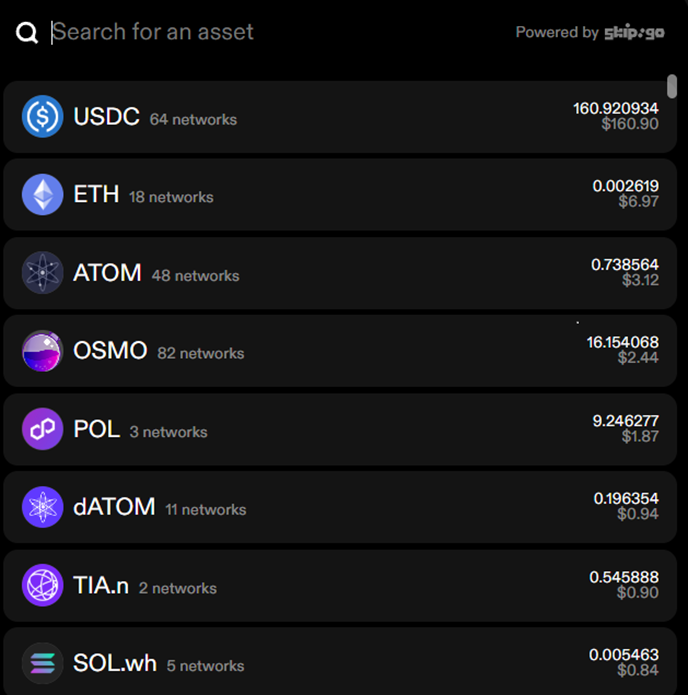
1. Use the `info` methods to populate the list of potential starting & ending chains & assets
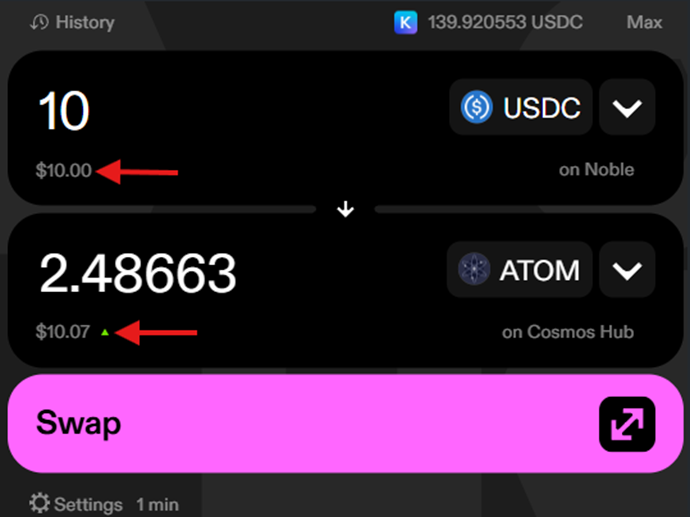
 2. Use `/fungible/route` (`route()`) to get a quote when the user selects all their chains & tokens and inputs one of their amounts
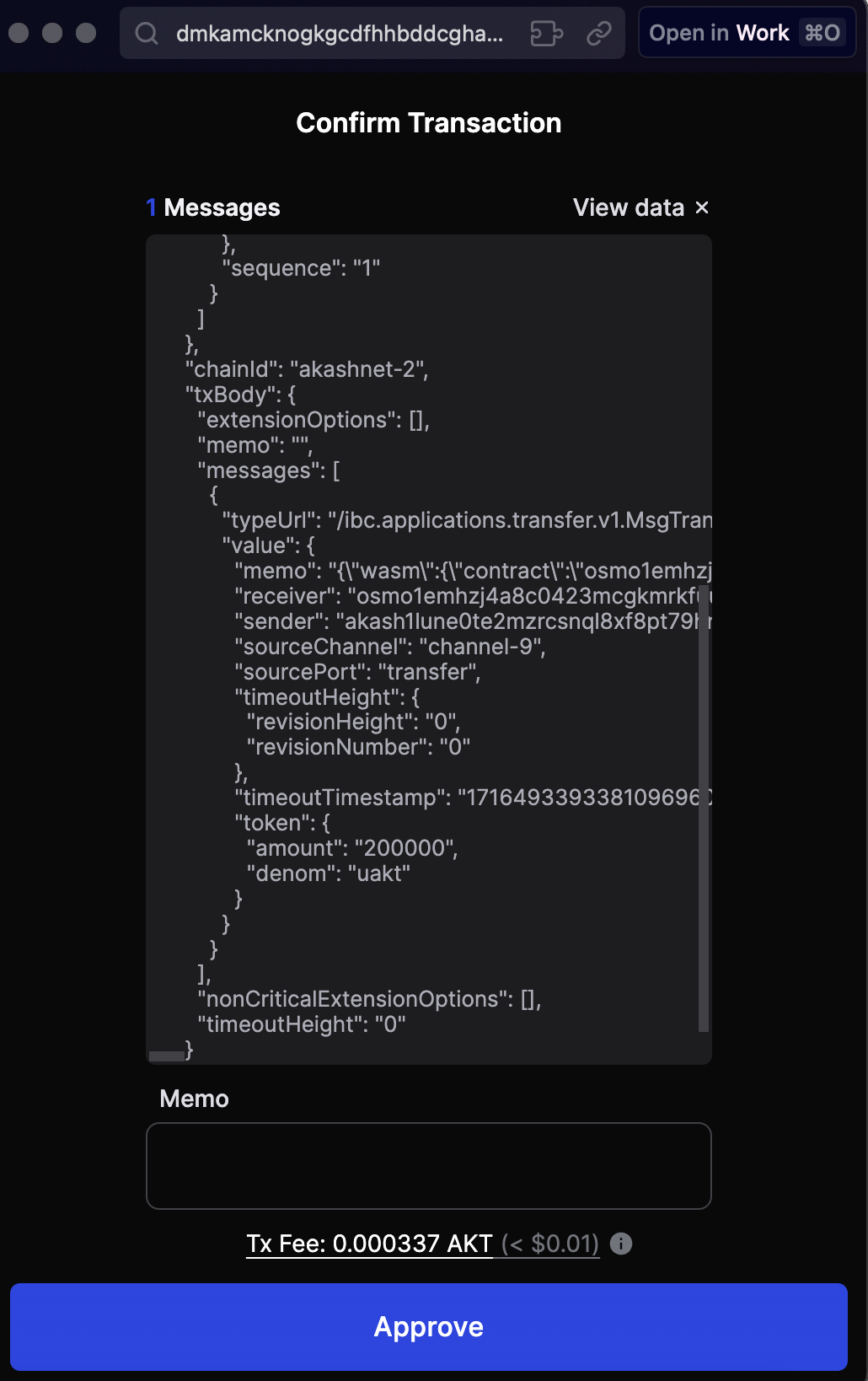
 3. Use `/fungible/msgs` (`messages()`) to get a transaction for the user to sign after they've locked in the route & begun the transaction creation process
 4. Use `/tx/track` (`trackTransaction()`) to register the transaction for tracking (or `/tx/submit` to register and submit it on-chain)
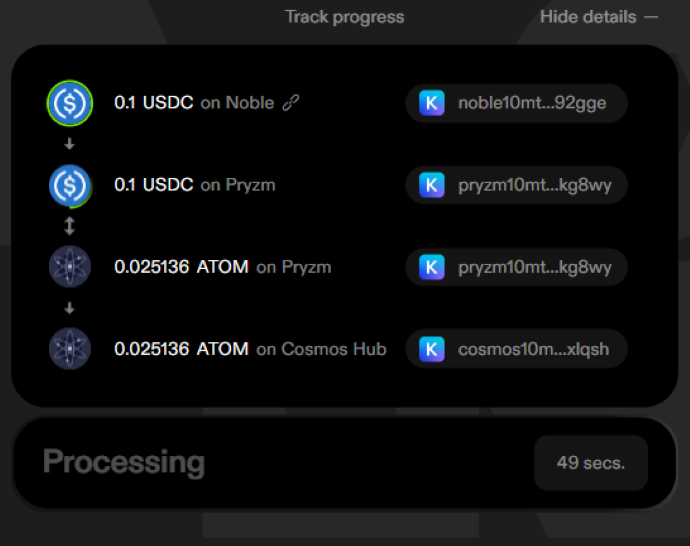
5. Use `/tx/status` (`transactionStatus()`) to get the real-time status of the transaction as it progresses across bridges and/or chains.
4. Use `/tx/track` (`trackTransaction()`) to register the transaction for tracking (or `/tx/submit` to register and submit it on-chain)
5. Use `/tx/status` (`transactionStatus()`) to get the real-time status of the transaction as it progresses across bridges and/or chains.