> ## Documentation Index
> Fetch the complete documentation index at: https://docs.cosmos.network/llms.txt
> Use this file to discover all available pages before exploring further.
# Transaction Support
## **Overview**
* This guide outlines how to troubleshoot and escalate issues related to Skip Go transactions.
* The Skip Go Explorer should be used when troubleshooting
* Types of transactions supported (CCTP, Eureka, Layerzero, Stargate, Opinit, Axelar, IBC, Go Fast)
* Tools: [Explorer](https://explorer.skip.build/), Skip API
***
## **Step 1: Check Status in our Explorer**
* Use our [Explorer](https://explorer.skip.build/)
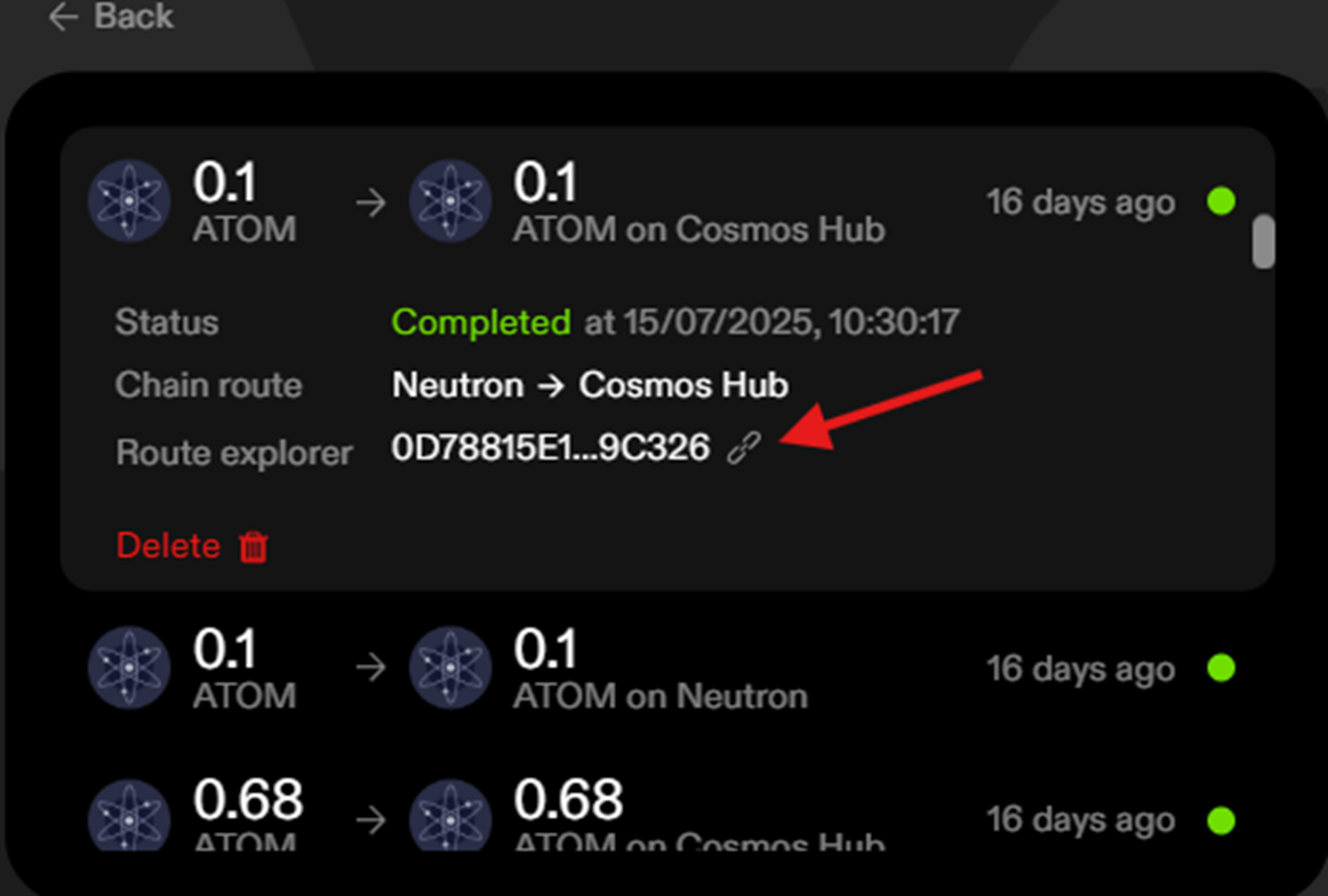
* If you click on your link transaction in your history on [go.skip.build](https://go.skip.build/) it will open with the transaction details preloaded.
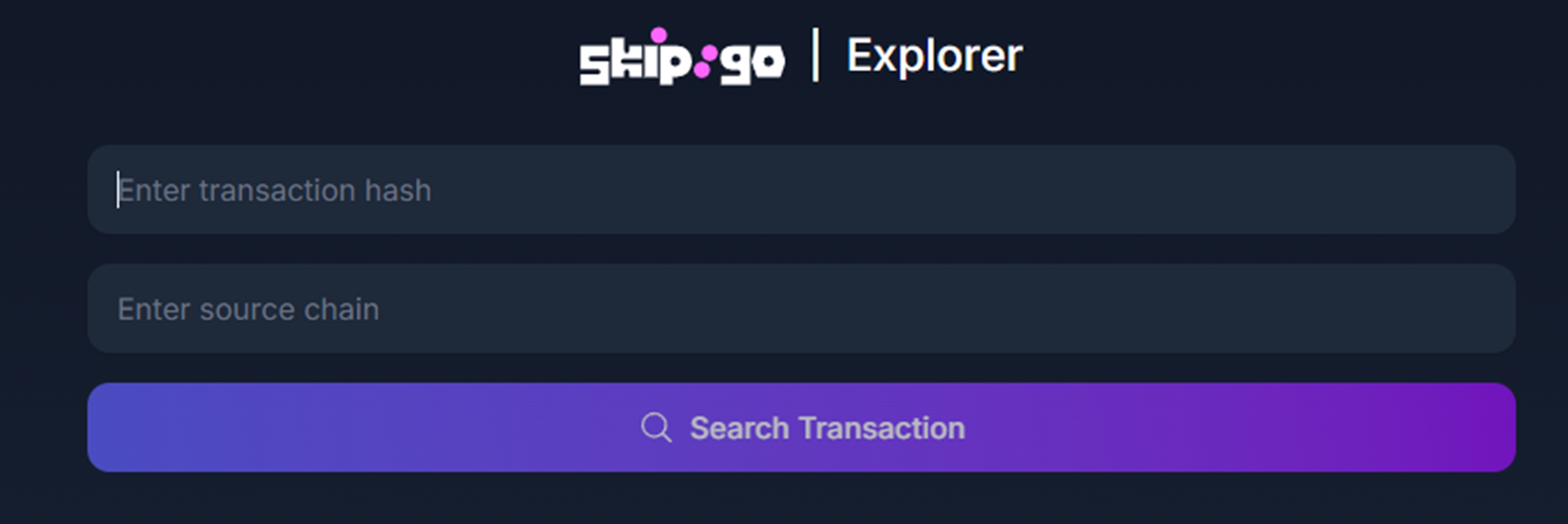
* If you do not have the transaction in your history, please locate the source transaction hash and enter it into our [Explorer](https://explorer.skip.build/)
* Required inputs:
* Initial Transaction hash
* Chain Name
***
## **Step 2: Transaction status**
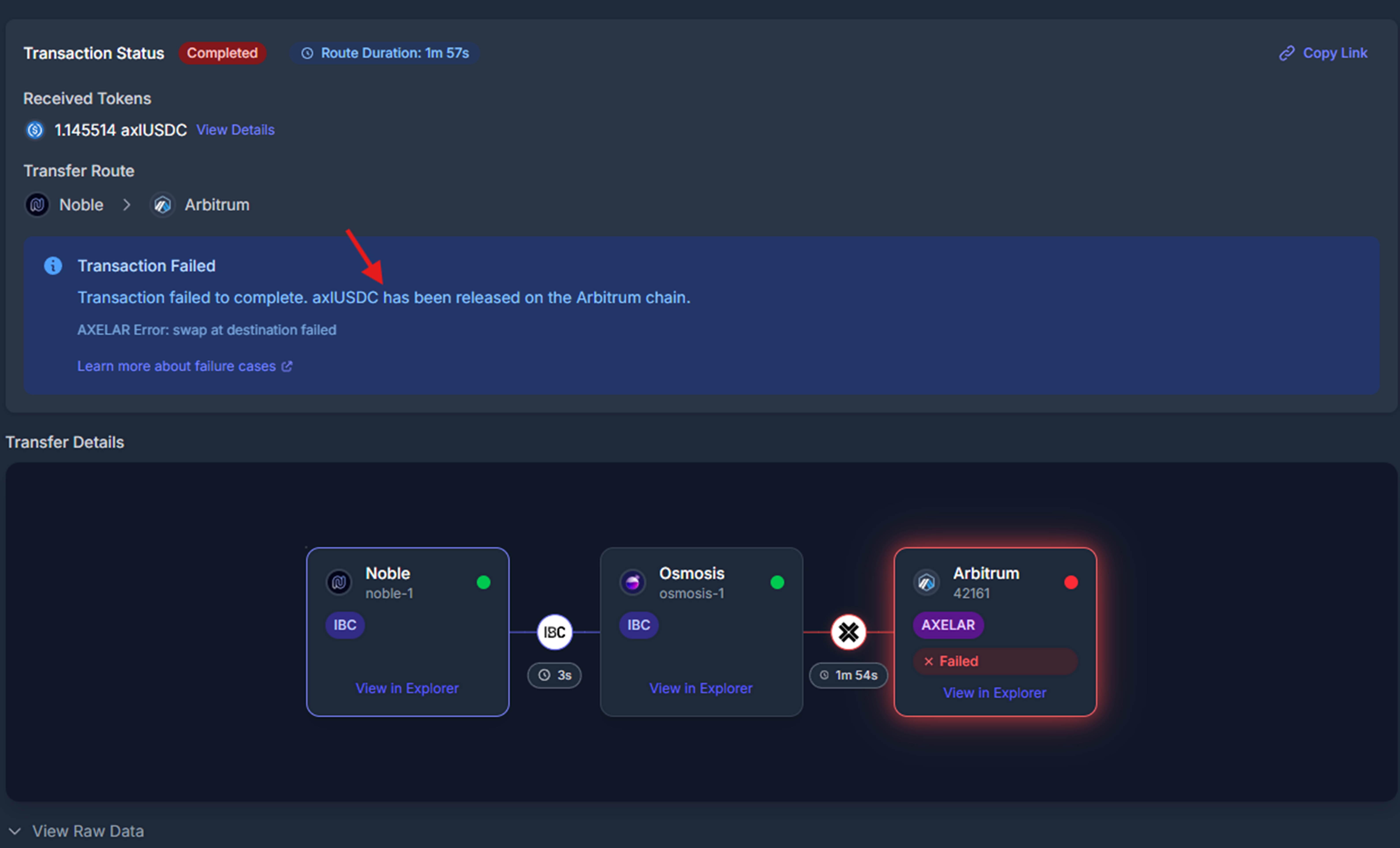
`state_completed_success`, `state_pending`, `state_abandoned`, etc. The explorer will tell you where your funds have been released if the transaction has failed, the swap failed and what asset has been released.
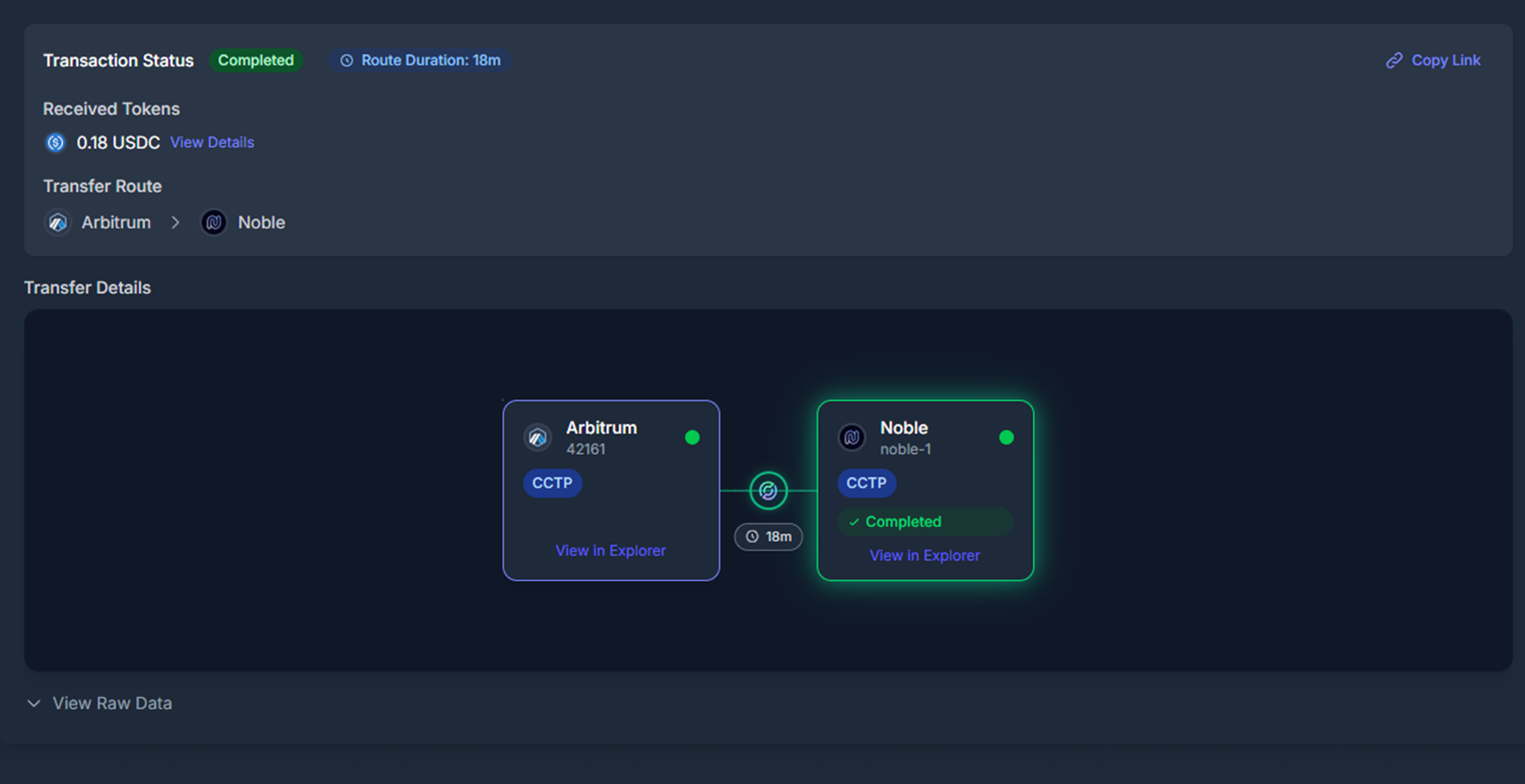
* If there is no state given, the explorer will ask to reindex/track your transaction:
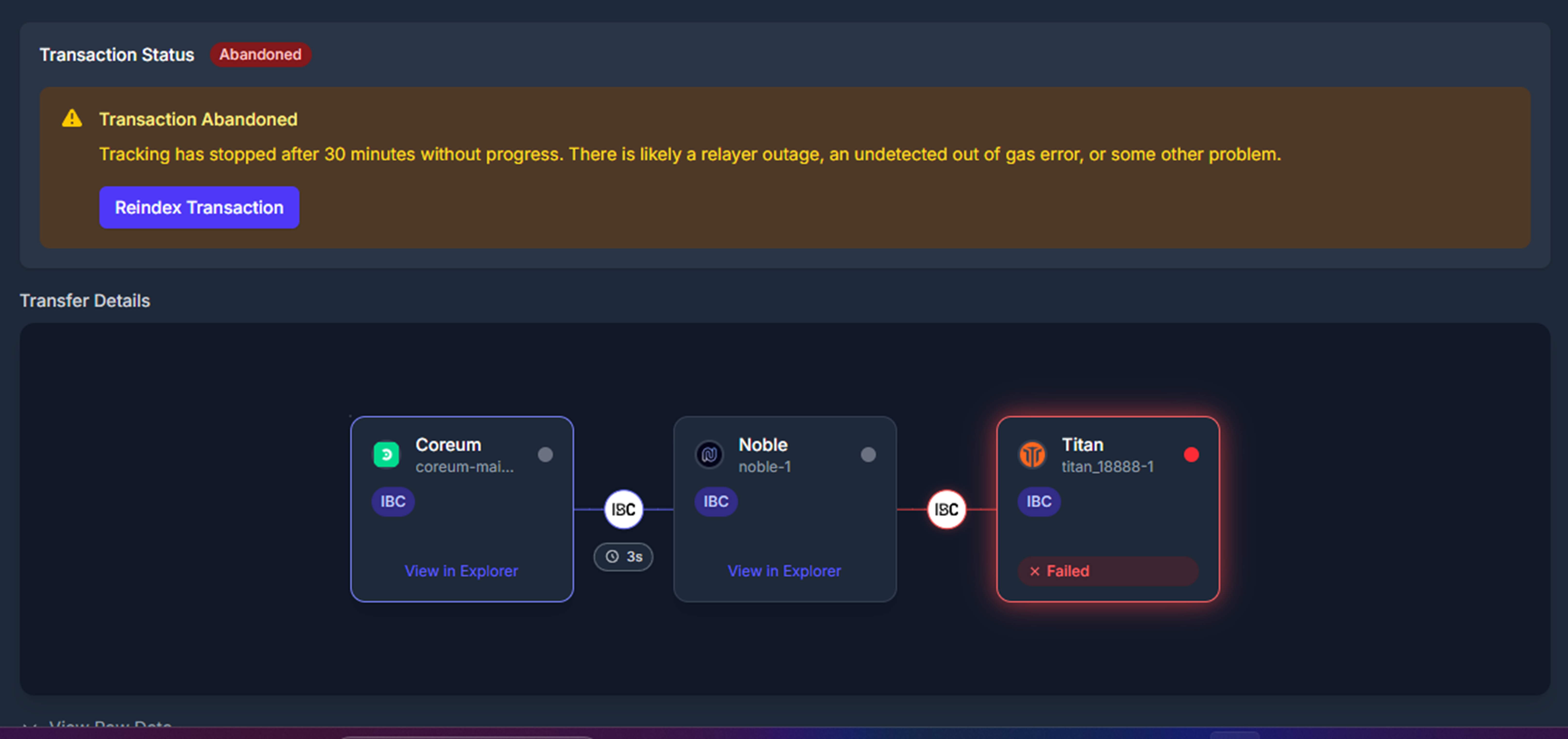
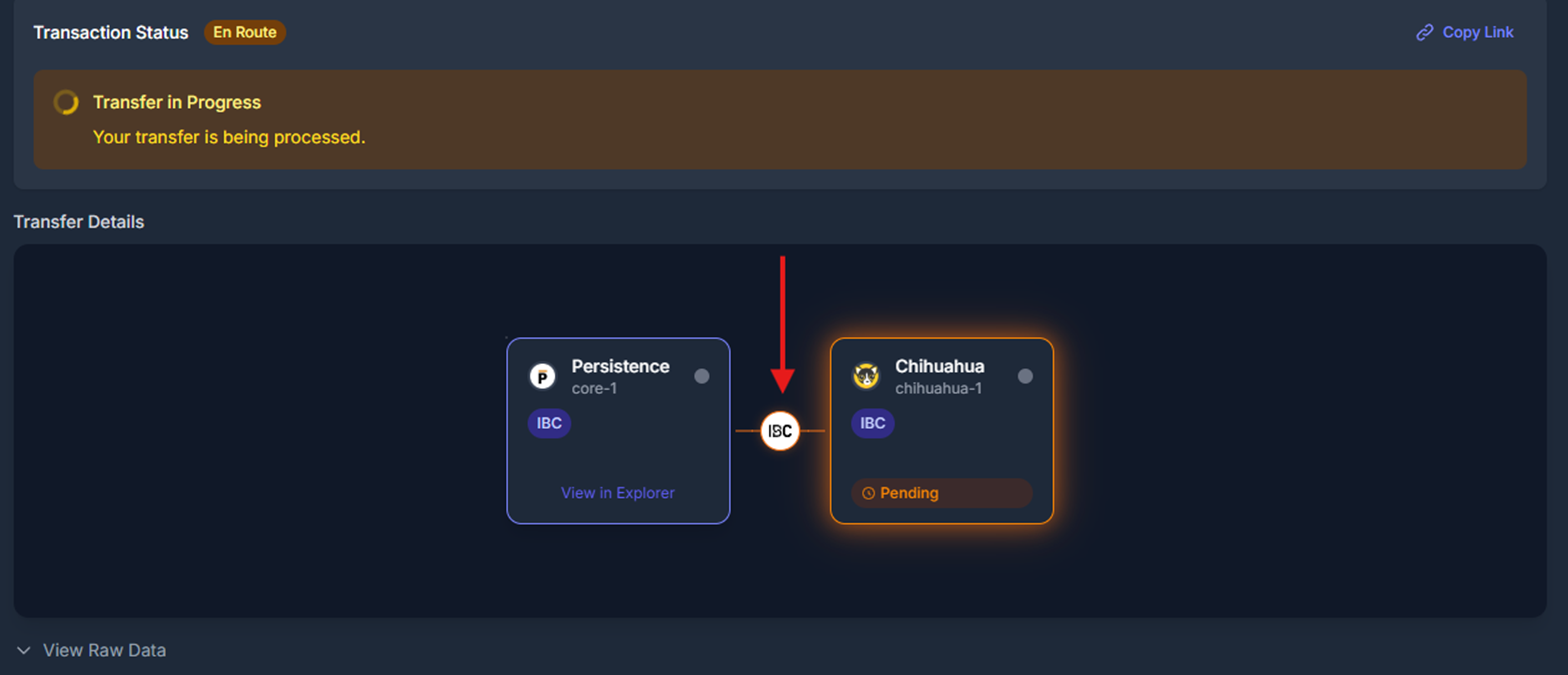
* After indexing, the status of your transaction will be updated. Example of successful, failed and pending states:
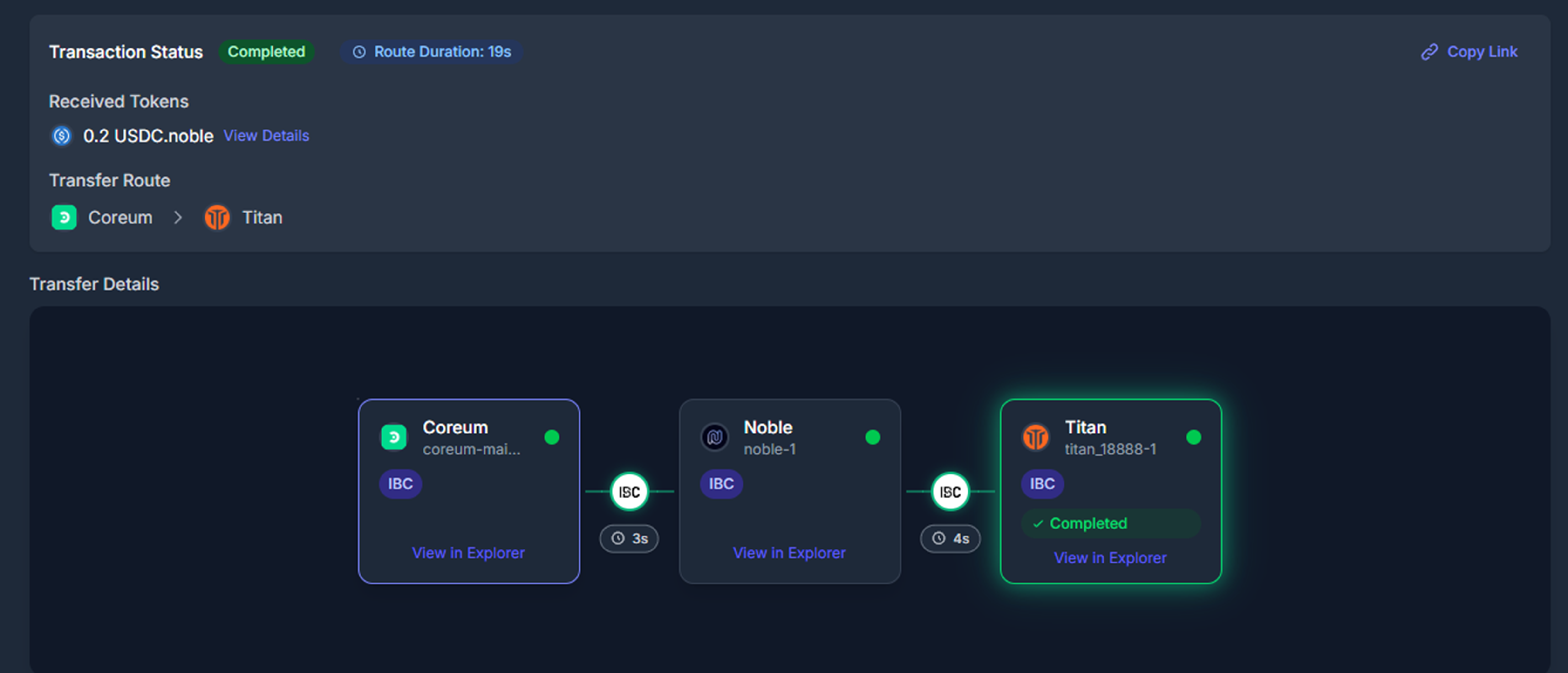
* The explorer will show where your funds have been released on chain:
* If your IBC transaction is pending, it may take upto 24 hours to clear.
* If you cannot find where your funds are released, refunded, received, please go to step 3.
***
## **Expanded Transfer Data & Statuses**
Skip Go supports multiple transfer mechanisms. Use the following references to understand and debug each type of transaction.
***
### **IBC Transfers**
Learn more: [IBC Transfer Details](/skip-go/general/multi-chain-realtime-transaction-and-packet-tracking#ibc-transfer-data)
* **States:**
* `TRANSFER_PENDING`: Sent, waiting to be received. May take upto 24 hours to be received on chain.
* `TRANSFER_RECEIVED`: Received, may still revert if multi-hop.
* `TRANSFER_SUCCESS`: Completed successfully.
* `TRANSFER_FAILURE`: Transfer failed.
* `TRANSFER_PENDING_ERROR`: Error occurred, refund pending.
* **Transactions:**
* `send_tx`, `receive_tx`, `timeout_tx`, `acknowledge_tx`
***
### **Axelar Transfers**
Learn more: [Axelar Transfer Details](/skip-go/general/multi-chain-realtime-transaction-and-packet-tracking#axelar-transfer-data)
* **States:**
* `AXELAR_TRANSFER_PENDING_CONFIRMATION`: Waiting for Axelar confirmation.
* `AXELAR_TRANSFER_PENDING_RECEIPT`: Confirmed, awaiting receipt.
* `AXELAR_TRANSFER_SUCCESS`: Assets received.
* `AXELAR_TRANSFER_FAILURE`: Transfer failed.
* **Transactions:**
* `send_tx`, `confirm_tx`, `execute_tx`
* May also include: `gas_paid_tx`, `approve_tx`
***
### **CCTP Transfers**
Learn more: [CCTP Transfer Details](/skip-go/general/multi-chain-realtime-transaction-and-packet-tracking#cctp-transfer-data)
* **States:**
* `CCTP_TRANSFER_SENT`: Burn submitted.
* 'CCTP\_TRANSFER\_PENDING\_CONFIRMATION' - CCTP transfer is pending confirmation by the cctp attestation api
* `CCTP_TRANSFER_CONFIRMED`: Confirmed by Circle.
* `CCTP_TRANSFER_RECEIVED`: Received on destination chain.
* **Transactions:**
* `send_tx`, `receive_tx`
***
### **Hyperlane Transfers**
Learn more: [Hyperlane Transfer Details](/skip-go/general/multi-chain-realtime-transaction-and-packet-tracking#hyperlane-transfer-data)
* **States:**
* `HYPERLANE_TRANSFER_SENT`: The transfer transaction on the source chain has executed.
* `HYPERLANE_TRANSFER_RECEIVED`: The transfer has been received on the destination chain.
* `HYPERLANE_TRANSFER_FAILED`: The transfer failed to complete.
* `PACKET_ERROR_TIMEOUT`: The packet timed out.
* `PACKET_ERROR_ACKNOWLEDGEMENT`: Error in packet acknowledgement.
* **Transactions:**
* `send_tx`, `receive_tx`
***
### **OPInit Transfers**
Learn more: [OPInit Transfer Details](/skip-go/general/multi-chain-realtime-transaction-and-packet-tracking#opinit-transfer-data)
* **States:**
* `OPINIT_TRANSFER_SENT`: The deposit transaction on the source chain has executed.
* `OPINIT_TRANSFER_RECEIVED`: Received at the destination chain.
* `OPINIT_TRANSFER_FAILURE`: The transfer has failed.
* `PACKET_ERROR_TIMEOUT`: The packet timed out.
* `PACKET_ERROR_ACKNOWLEDGEMENT`: Error in packet acknowledgement.
* **Transactions:**
* `send_tx`, `receive_tx`
***
### **Go Fast Transfers**
Learn more: [Go Fast Transfer Details](/skip-go/general/multi-chain-realtime-transaction-and-packet-tracking#go-fast-transfer-data)
* **States:**
* `GO_FAST_TRANSFER_SENT`: Intent submitted.
* `GO_FAST_TRANSFER_FILLED`: Success.
* `GO_FAST_TRANSFER_TIMEOUT`, `REFUNDED`, `POST_ACTION_FAILED`
* **Transactions:**
* `order_submitted_tx`, `order_filled_tx`, `order_timeout_tx`, `order_refunded_tx`
***
### **Stargate Transfers**
Learn more: [Stargate Transfer Details](/skip-go/general/multi-chain-realtime-transaction-and-packet-tracking#stargate-transfer-data)
* **States:**
* `STARGATE_TRANSFER_SENT`, `RECEIVED`, `FAILED`, `UNKNOWN`
* **Transactions:**
* `send_tx`, `receive_tx`, `error_tx`
***
### **Eureka Transfers**
Learn more: [Eureka Transfer Details](/skip-go/general/multi-chain-realtime-transaction-and-packet-tracking#ibc-transfer-data)
* **States:**
* `TRANSFER_SUCCESS`: The Eureka transfer has completed successfully.
* `TRANSFER_RECEIVED`: The Eureka transfer has been received by the destination chain.
* `TRANSFER_PENDING`: The Eureka transfer is in progress.
* `TRANSFER_FAILURE`: The Eureka transfer has failed.
* `PACKET_ERROR_ACKNOWLEDGEMENT`: Error in packet acknowledgement
* `PACKET_ERROR_TIMEOUT`: The packet timed out before reaching the destination
* **Transactions:** Typically includes `send_tx`, `receive_tx`
***
### **LayerZero Transfers**
* **States:**
* `LAYER_ZERO_TRANSFER_SENT`: Transfer initiated on the source chain
* `LAYER_ZERO_TRANSFER_RECEIVED`: Assets received on the destination chain
* `LAYER_ZERO_TRANSFER_FAILED`: Transfer failed
* `LAYER_ZERO_TRANSFER_UNKNOWN`: Transfer state could not be determined
* **Transactions:** Usually `send_tx`, `receive_tx`, and `ack_tx`
***
## **Step 3: Escalate if needed**
* If you are unable to locate your funds please open a ticket in the [Interchain Discord](https://discord.com/invite/interchain)

***